Water Normal Map Generator
Start with a seamless ripple or noise texture, then convert it into a water normal map for your shader. This guide covers gentle surface settings, seamless tiling and a simple two-layer animation technique.
Generate a Water Normal Map
Upload a seamless ripple or noise texture, then begin with the Water preset.
Open Water Map Workspace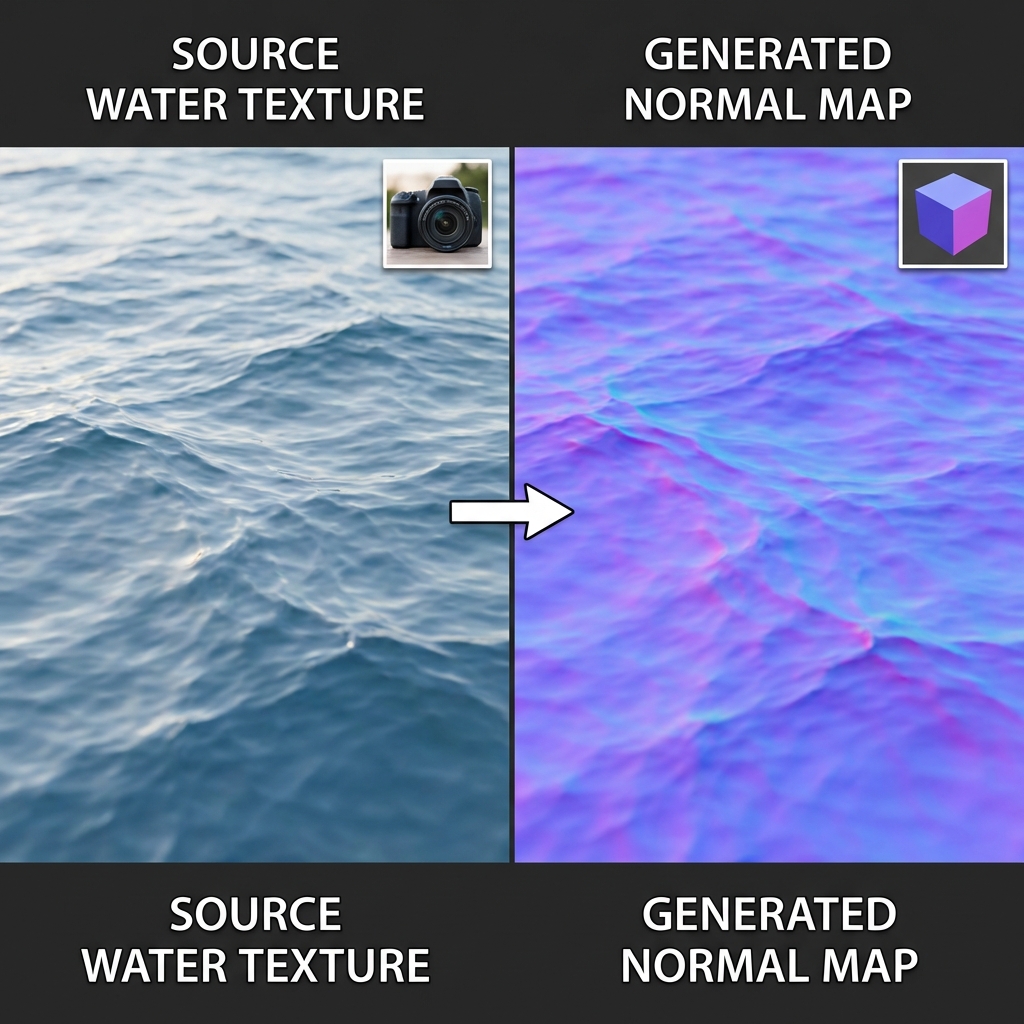
The Secret to Water Shaders
In almost all modern games, water is rendered using a combination of:
- Reflection/Refraction: Bending light to see through or bounce off the surface.
- Normal Map: Distortion data that tells the engine how to bend that light.
- Animation: Moving the normal map to simulate flow.
Without a good normal map, water looks like a flat sheet of glass. With a detailed normal map, it looks like a turbulent ocean or a gentle lake.
Pro Tip: Tiling is Key
Water textures are usually tiled (repeated) across a huge ocean plane. It is absolutely critical that your water normal map is seamless. If it has seams, you will see a grid pattern on your ocean.
How to Create a Water Normal Map
Step 1: Find a Source Texture
You need a "height map" of water waves. This could be a photo of water ripples, or better yet, a procedurally generated noise texture (like Perlin noise or Cloud noise) which is naturally seamless.
Dark areas will be troughs (low points of waves), and bright areas will be peaks (crests of waves).
Step 2: Generate the Normal Map
Using our Normal Map Generator:
- Upload your seamless noise texture or water photo.
- Start with the Water preset, then lower Strength if the ripples look like sharp cliffs rather than subtle slopes.
- Adjust the Level to smooth out pixelation if using a low-res photo.
- Download the result.
Animating the Water
A static normal map looks like frozen ice. To make it look like liquid, you need to animate it in your game engine.
The "Dual Scrolling" Technique
This is the industry standard trick for water:
- Take your water normal map.
- Duplicate it in your shader.
- Scroll Map A in one direction (e.g., Velocity X=0.1, Y=0.05).
- Scroll Map B in a different direction (e.g., Velocity X=-0.05, Y=0.1) using a different scale.
- Add or Blend the two normal maps together.
This creates a chaotic, non-repeating interference pattern that looks incredibly like natural waves.
Start Creating
Need a base texture for your water shader? Generate a seamless normal map now.
Launch Generator