Blender Normal Map Setup
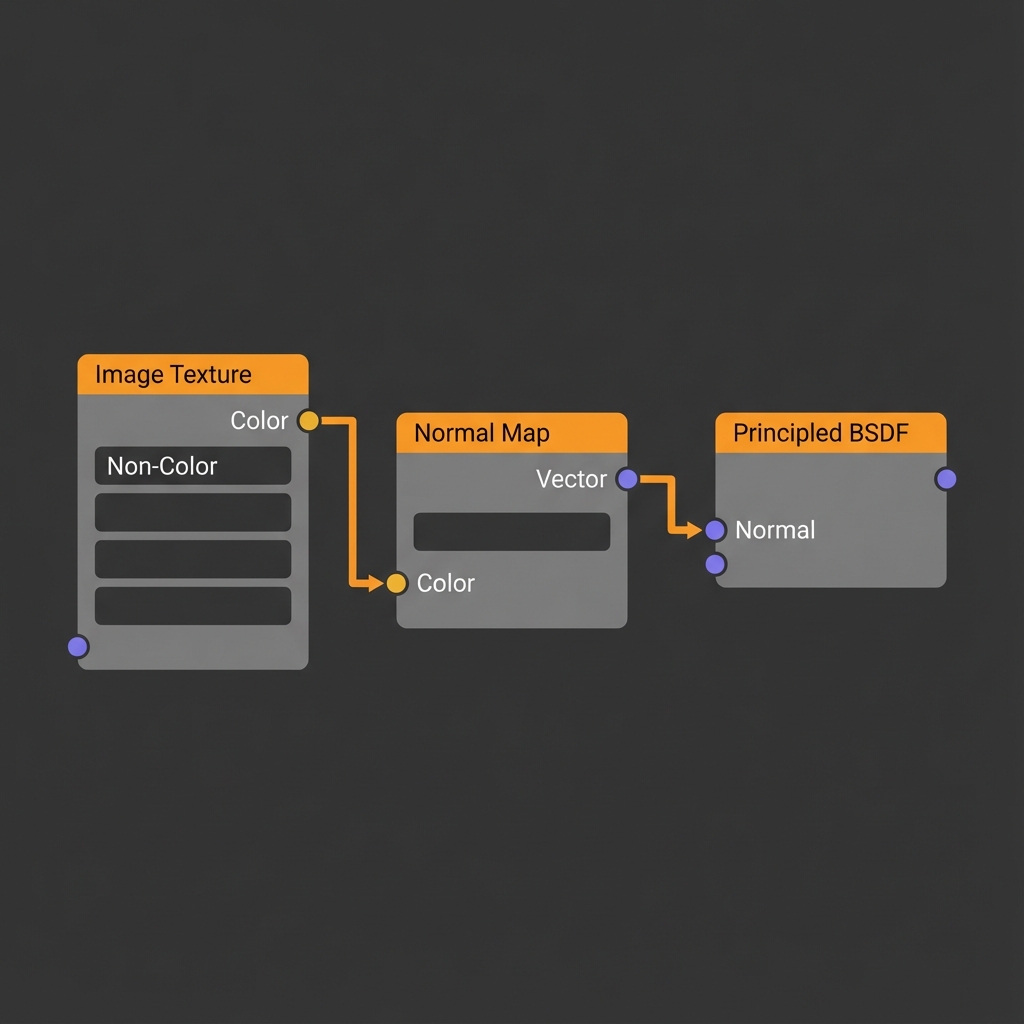
In Blender's Shader Editor, set the normal-map image to Non-Color, pass it through a Normal Map node, and connect that node to the shader's Normal input. Those three steps solve most normal-map setup problems.
Create a Normal Map for Blender
Generate a map locally in the browser, then connect it to your Blender material with the node setup below.
Open Blender Workspace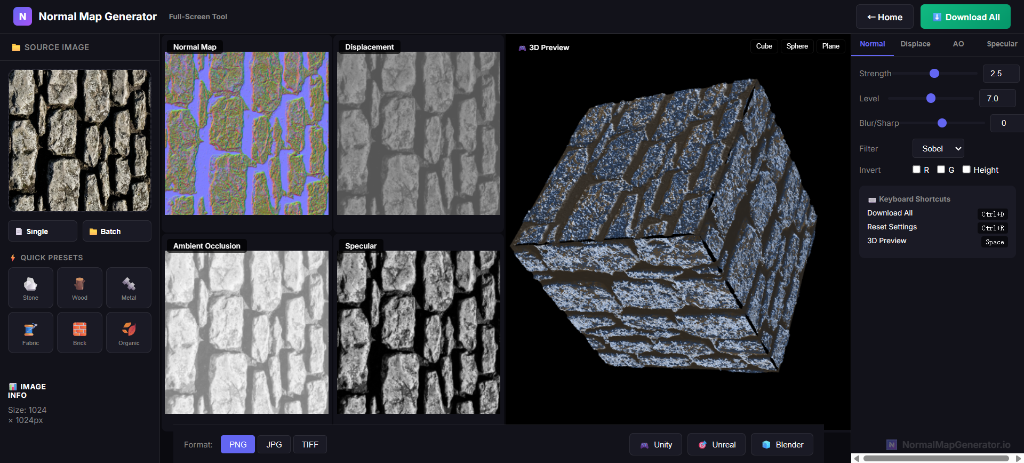
What is a Normal Map in Blender?
A normal map creates the illusion of surface detail by affecting how light bounces off your model. In Blender, normal maps are essential for PBR (Physically Based Rendering) materials, allowing you to add intricate details like scratches, bumps, and patterns without increasing the mesh polygon count.
Step-by-Step: Adding Normal Maps in Blender
Visit our free normal map generator. Upload your texture and generate your normal map. Start with the standard output; only flip the green channel if the material's lighting direction shows that your source uses the opposite convention.
In Blender, go to the Shader Editor. Drag and drop your normal map PNG file directly into the node area to create an Image Texture node.
On the Image Texture node you just added, change the Color Space setting from sRGB to Non-Color. This is critical—if you skip this, your normals will look wrong!
Now complete the setup:
- Press
Shift + Aand add a Normal Map node (Vector > Normal Map) - Connect Color (Image Node) → Color (Normal Map Node)
- Connect Normal (Normal Map Node) → Normal (Principled BSDF)
Blender Normal Map Best Practices
- Format: Use PNG (16-bit if possible) to prevent banding artifacts.
- Strength: Use the Strength slider on the Normal Map node to control intensity.
- UVs: Normal maps require your model to have UV coordinates unwrapped.
Troubleshooting Common Issues
My surface looks flat and shiny
You likely forgot to set the Image Texture to Non-Color. This is the most common error.
The lighting direction is flipped
If bumps look like dents, the green channel may use the opposite convention. Flip it once in the workspace and re-check the material under directional lighting.
Create Blender Normal Maps Now
Generate seamless normal maps for your Blender projects in seconds.
🎨 Open Normal Map Generator